
Weather intelligence for motorcyclists
Know When to Ride
Temperature, rain, wind, visibility, road grip and daylight in one 0–100 ride score. Search any place on earth and see whether the next corner is worth suiting up for — now, and hour by hour for the next seven days.
Where are you riding?
No account needed. Create a free one to score every hour against your own comfort settings.
- No login required
- No cookies, no trackers
- Any location worldwide
- Open-Meteo weather data
7-day forecast
The whole week at a glance
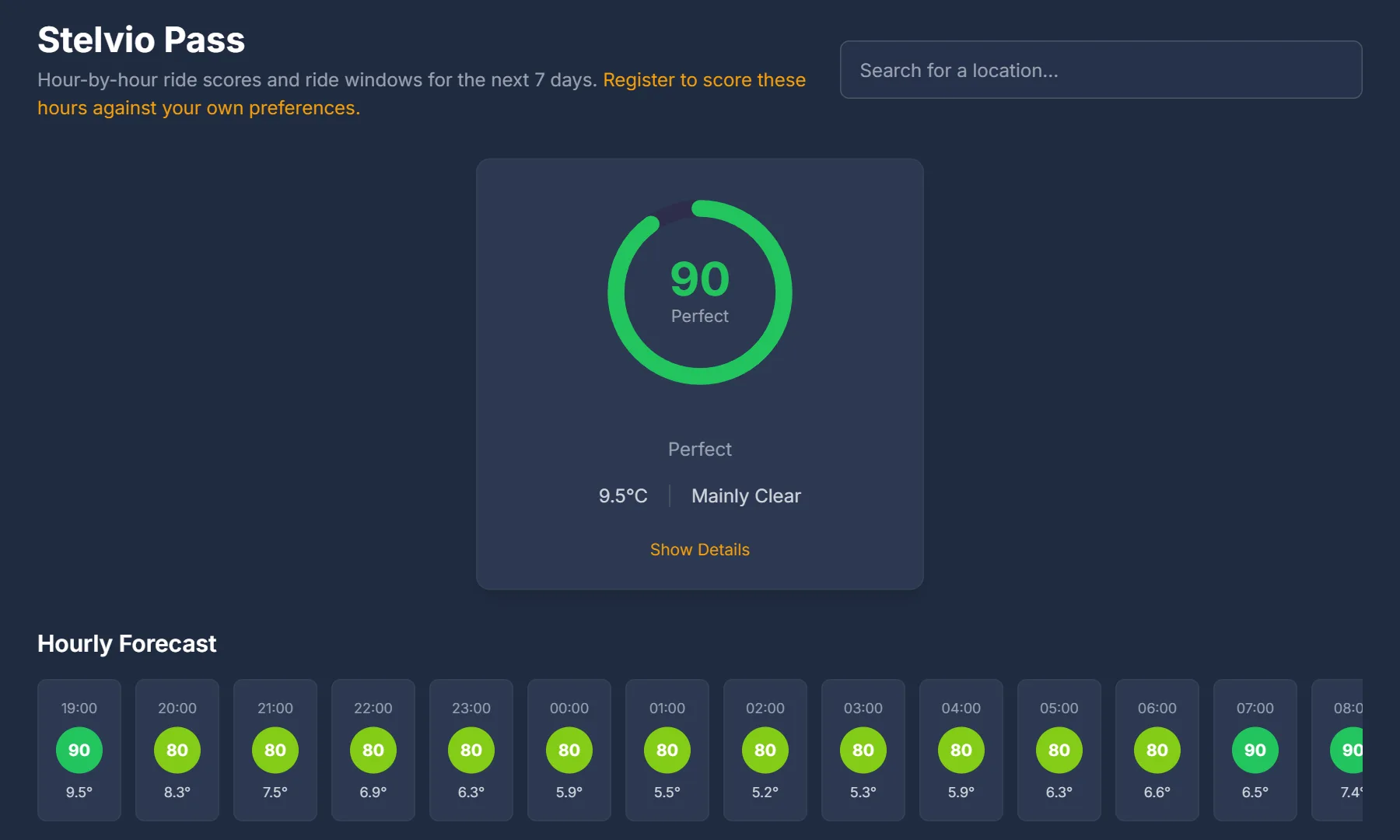
One score per hour from right now to seven days out. Scroll the hourly strip, compare days in the overview, and watch score and rainfall move together on the chart, with fog shaded where it makes riding a no. Every hour opens into a breakdown that shows exactly which factor cost the points.
- Hourly scores with temperature, colour-coded from Perfect to No-Go
- Daily overview with the best score, highs and lows and conditions
- Per-factor breakdown with warnings and highlights for any hour
Ride windows
Your week, pre-planned
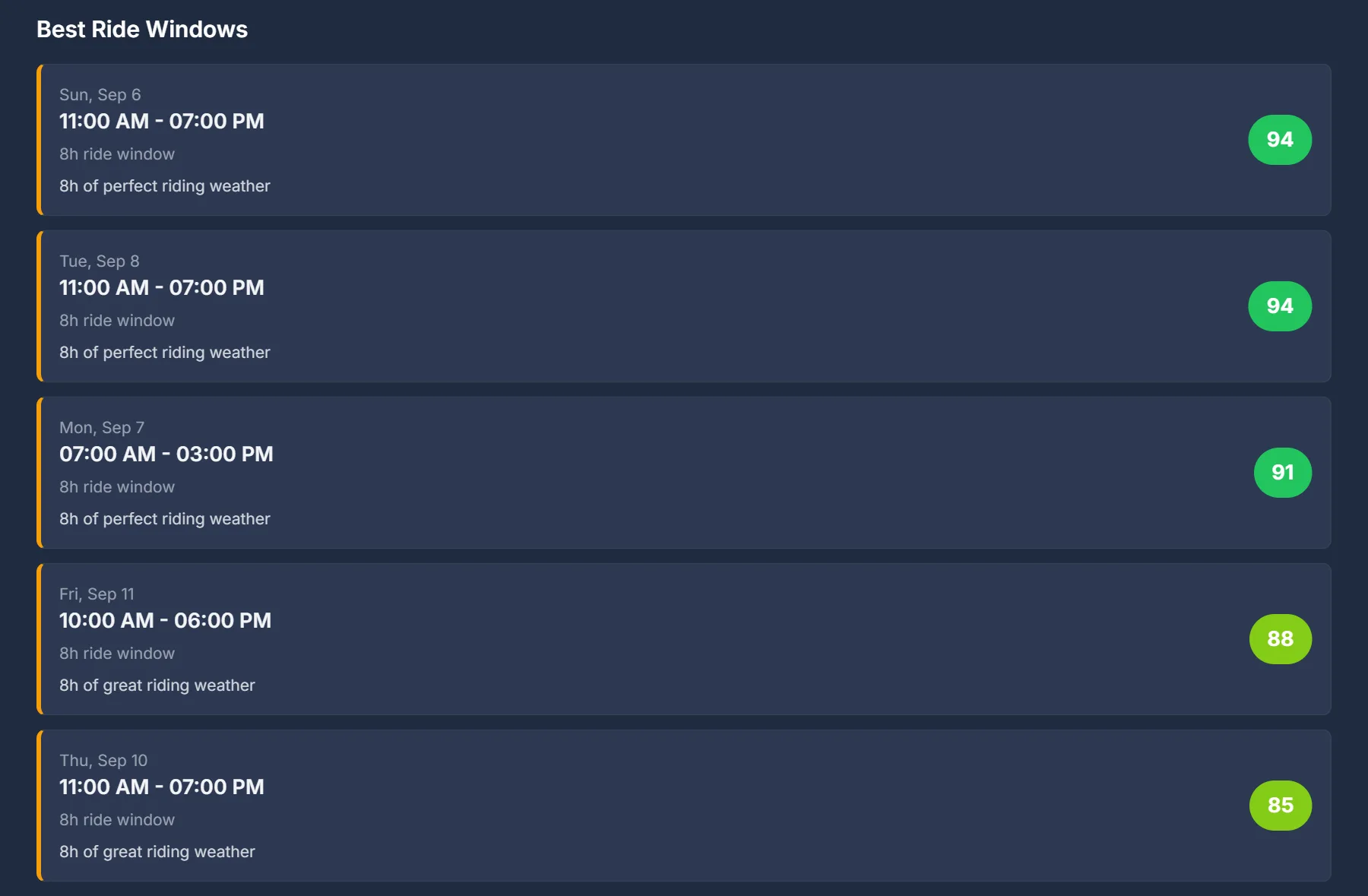
RideWindow reads the seven-day forecast, keeps only the hours scoring 60 or better, and joins them into windows of two to eight hours inside a single local day. Long good stretches are trimmed to their strongest hours. The top five are ranked by average score, so the answer to “when this week?” is a list, not a guess.
Works for any place you search. With an account, your dashboard shows the next best window for your primary location the moment you open it.
Route scoring
Score the whole ride, not just the start
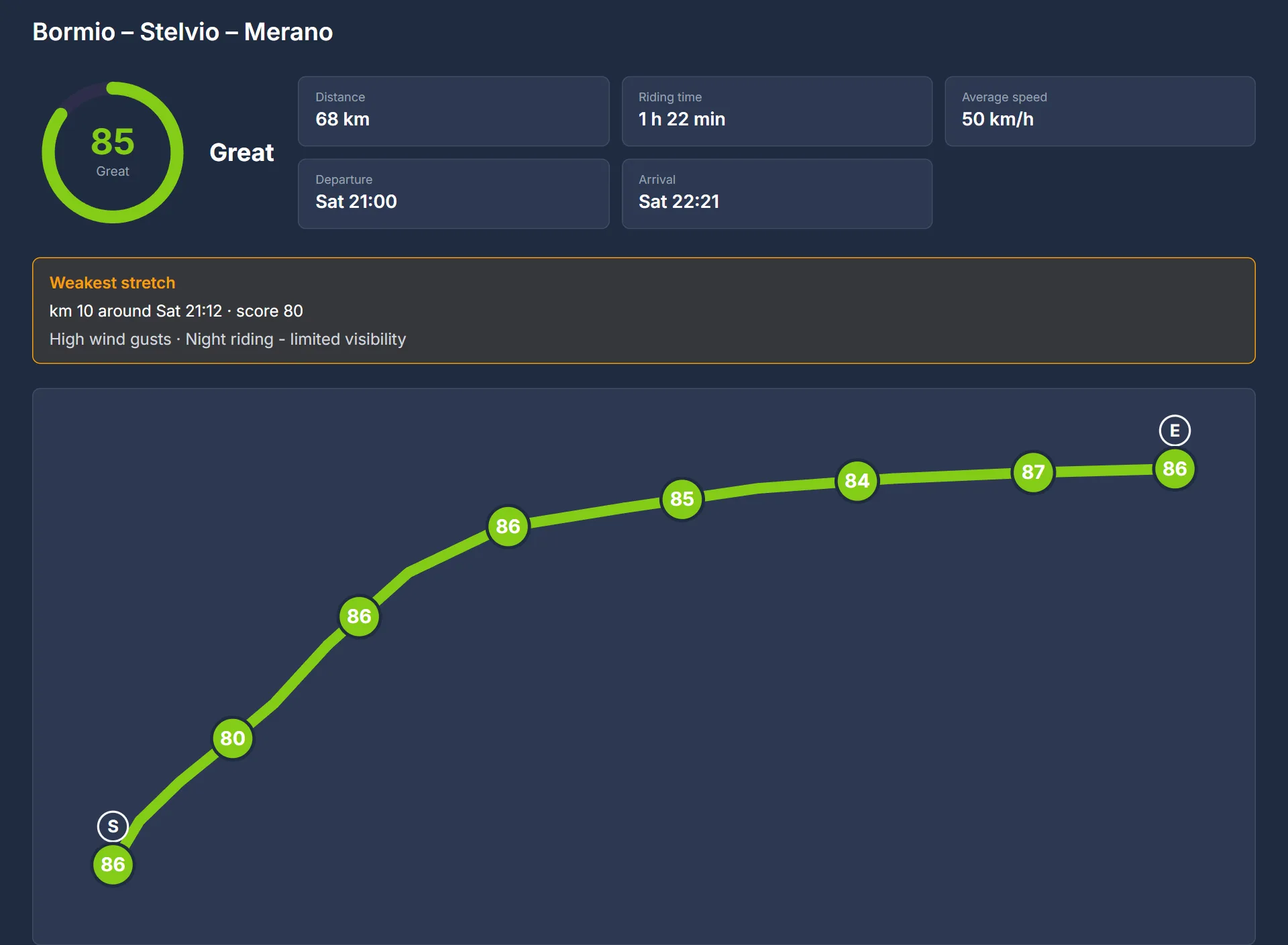
A pass at 2,700 m does not share weather with the valley you leave from. Upload a GPX from Kurviger, Calimoto, Garmin, Komoot or any planner, say when you leave and roughly how fast you ride, and every stretch is scored for the hour you will actually be there — then rolled up into one number for the ride.
- Up to fifteen samples at least 10 km apart, each scored at your ETA
- The weakest stretch named, with the reason
- A No-Go stretch makes the ride a No-Go — you cannot average your way through black ice
- No account needed; the file is scored in memory and never stored
How the score works
Six factors, one honest number
Weather apps tell you it will be 14 °C and cloudy. They do not tell you the road is still wet from the 5 am shower or that the gusts will push you across the lane on the ridge. RideWindow weighs each factor by what it does to a rider and adds them up to 100.
Precipitation
up to 25 ptsRain falling now and the chance of rain this hour. Heavy rain scores nothing; even a 30% chance costs points.
Temperature
up to 20 ptsScored against your own comfort range, not a generic one.
Wind
up to 20 ptsSustained speed, with a penalty when gusts run well above it. Over your own limit it scores nothing.
Road condition
up to 15 ptsHours since the last rain, and temperature. Wet tarmac costs grip long after the shower; near-freezing and wet scores nothing.
Visibility
up to 10 ptsFull points above 10 km, nothing under 500 m. You cannot ride what you cannot see.
Daylight
up to 10 ptsFull points in daylight; dark hours count only if you say you ride at night.
Three vetoes force a score of 0
- Below 2 °C with rain in the last two hours — black-ice risk
- Visibility under 200 m
- Wind gusts above 90 km/h
No preference setting can override a veto. Points are for comfort; vetoes are for coming home.
What the number means
- 90–100 Perfect
- 75–89 Great
- 60–74 Good
- 40–59 Marginal
- 20–39 Poor
- 0–19 No-Go


Free account
Same forecast, scored for you
Everything on this page works without signing in. An account changes one thing that matters: the score stops being generic.
- Scores tuned to you
- Set your comfort temperature range, the wind you will tolerate, how much rain risk you accept, whether you ride in the dark or on wet roads, and your experience level. Every score on every page is recomputed against those settings.
- Your roads, one dashboard
- Save the places you actually ride — home, the office, the pass you keep going back to — and see their current scores side by side.
- The week as a heatmap
- Your primary location gets a seven-day, hour-by-hour heatmap and a banner with the next best ride window, so Sunday plans itself on Tuesday.
- Yours to delete
- Respect for your privacy. Delete your account from Settings whenever you like and everything goes with it.
Email and a password. Nothing else asked, nothing sold.
Questions riders ask
- What is a RideWindow ride score?
- A 0–100 number for one hour at one place, built from six weather factors: precipitation (up to 25 points), temperature (20), wind (20), road condition (15), visibility (10) and daylight (10). 90–100 is Perfect, 75–89 Great, 60–74 Good, 40–59 Marginal, 20–39 Poor, 0–19 No-Go.
- When does the score drop to zero?
- Three safety vetoes override everything else: a temperature below 2 °C with rain in the last two hours (black-ice risk), visibility below 200 metres, and wind gusts above 90 km/h. Any one of them forces a score of 0.
- What is a ride window?
- A run of consecutive hours within one local day that all score 60 or higher, between 2 and 8 hours long. RideWindow ranks the windows of the next seven days by average score and shows the top five.
- Do I need an account?
- Searching a location, the 7-day forecast and the ride windows all work without signing in. A free account adds route scoring, personal comfort preferences that every score is recomputed against, saved locations and routes, and a dashboard with a weekly heatmap.
- Where does the weather data come from?
- From Open-Meteo, a free open weather API with worldwide coverage. RideWindow caches each location's weather for 15 minutes, so a score is never more than 15 minutes behind the source, and does the scoring itself.
- Is RideWindow free, and what does it track?
- RideWindow is free. It sets no cookies and runs no third-party analytics, advertising or social-media trackers. It only counts, anonymously, how often each page is opened per day and what kind of site, such as a search engine, sent the visit. The only third party contacted from your browser is OpenStreetMap: Nominatim when you search for a place, and its map tiles on pages that show a map.
- Can it score a whole route, not just one place?
- Yes, with a free account. Upload a GPX from any planner, set your departure time and average speed, and RideWindow samples the route at up to fifteen points at least 10 km apart, scores each one for the hour you will reach it, and averages them by distance. If any stretch rates No-Go, the whole ride is a No-Go. Saving a route keeps only its shape, never a score, so opening it later re-scores it against the latest forecast.
More detail on how the score works and on privacy.
Is it a riding day?
Search a place. The score takes a second; the ride takes the day.